Share one service — not your network. With your devices, your people, and other organizations.
Grant a service to a machine or a person, and it answers on localhost — over a post-quantum WireGuard mesh you run yourself. Link with a partner organization and share with them the same way, without merging networks. No account, no vendor cloud, no telemetry. One self-contained binary, every OS.
No accounts to create. No servers to provision. Run the binary, mint a code, paste it on the next device.
Drop the single sidehub executable on the device you want as the controller and run it. It opens a setup page on localhost — choose Controller, and point it at a relay: ours, a partner’s, or your own. No config file to hand-edit, no kernel module.
In the controller’s dashboard, issue a one-time code bound to your federation. Hand it to whichever device should join — paste it, scan a QR, sneakernet it. Your call.
Run sidehub on the new device and paste the code in its setup page. It joins the mesh — every link encrypted, direct when it can be, relayed when it can’t — and whatever you grant it appears on localhost.
Two devices that can't reach each other directly — behind a home router, a firewall, a carrier NAT — meet through a relay. The relay only forwards encrypted frames and sealed invitations; it never sees your traffic, your keys, or even which services exist. Because it can't read anything, it doesn't have to be yours: use our open relay (free, on request), a partner's, or run your own. It's never part of what you have to trust.
One primitive — grant one service to one machine or person, deny everything else — covers problems that usually take four products. Nothing below opens a port, publishes a DNS name, or joins two networks together.
Two organizations, two controllers, no merged network. Link once, then share a single service — and approve each of their people or machines who asks for it. They see what you share, not your network.
Remote support for an HMI, a PLC or an instrument normally means a jump host, a VPN account and a route into the OT segment. Here the vendor is granted exactly one service on one device, for as long as you say.
A GPU box running an inference server is the most sensitive thing to expose and the easiest to get wrong. Publish it as a service and grant it to people: it follows each of them to whichever device they sign in on, and never touches the internet.
A hosted runner needs your private registry, a package proxy or a seeded database. The usual answers are a public endpoint behind a password, or a VPN credential sitting in CI secrets.
A service is one thing you expose — a database, a web app, an SSH port, a SOCKS exit, even your mailbox. Grant it to a machine or a person and it shows up on a local address on their device. Nothing else on your network is visible: no subnet to scan, no flat address space to firewall.
Databases, SSH, Git, registries — anything on a port.
localhost:5432DNS, syslog, game servers, custom protocols.
localhost:5353Web apps and APIs answer at a name — no IP, no port to remember. Resolved on your own machine, never by public DNS.
wiki.acme.sideservices.localhostA proxy or exit on another node — route requests through where it sits.
localhost:1080Private IMAP + SMTP for your federation, on the node you choose — mesh-only, and delivered to partner organizations over the mesh, never the public internet.
localhost:1143 · 1587Cross-platform, self-hosted, deny-by-default, post-quantum. No public DNS, no public TLS, no public anything.
Controller, hub, relay — the same self-contained sidehub executable, the same commands, on Linux, macOS, Windows, FreeBSD and OpenBSD. Apps for Android and iOS. No separate management or signal servers to run.
Nothing is visible until the controller grants it — one service, to one machine or one person. A grant can end on a date, after idle time, or a fixed time after first use, and revoking it drops the live session.
Grant a service to a person and it follows them to whichever device they sign in on. SideServices can sign them in to the app as well — telling it who is calling, or filling in a stored password — so there is no second login. One password per person, and it never reaches the controller.
TCP and UDP services bind to a stable local port. Web services answer at a name on your own machine — service.federation.sideservices.localhost — never published in public DNS.
Every link between hubs is encrypted — direct when the network allows it, through a relay when it doesn’t. Identities and key exchange are hybrid post-quantum (Ed25519 + ML-DSA, X25519 + ML-KEM): harvest-now-decrypt-later doesn’t work here.
Link with another organization once, then share single services — you approve each of their people or machines, and take access back in seconds. The two networks never merge: they see the services you share, not your network. Mail flows between you over the same link.
A service records who used it, how much moved and how long it took — per HTTP request and per TCP flow. Detail stays on the node that serves it; only counts roll up. Admin changes, sign-ins and partner decisions land in an audit log you can export.
No sign-up, no vendor control plane, no telemetry — you trust your own controller and nothing else. The relay can’t read your traffic, so it can be anyone’s. Device keys never leave the device, a person’s keys are stored only under their own password, and the whole federation backs up into one encrypted file.
The controller is a small web app on your own machine: what needs you, every service and who can reach it. Each device sees only what it was granted, by name. Click a screenshot to enlarge.
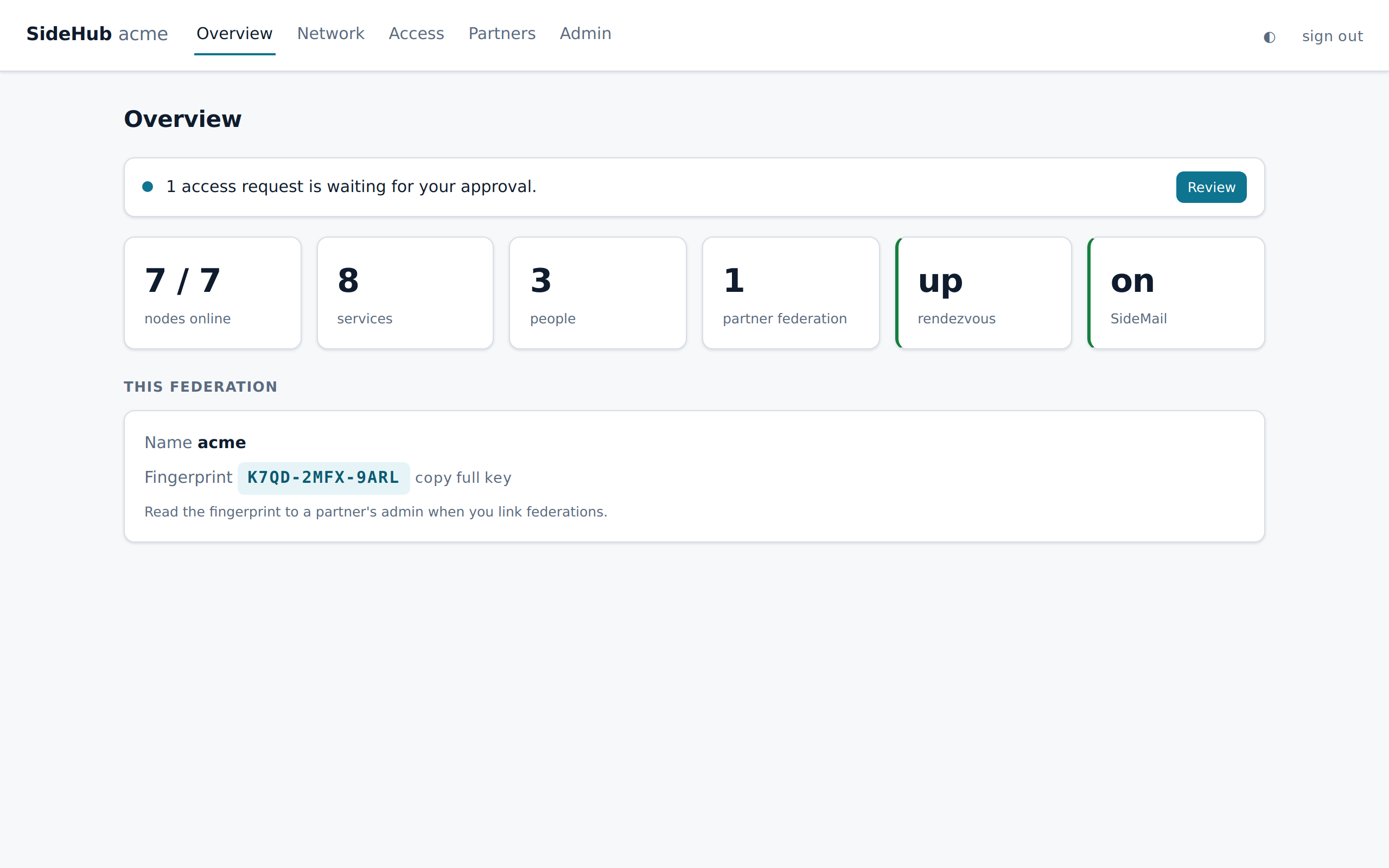
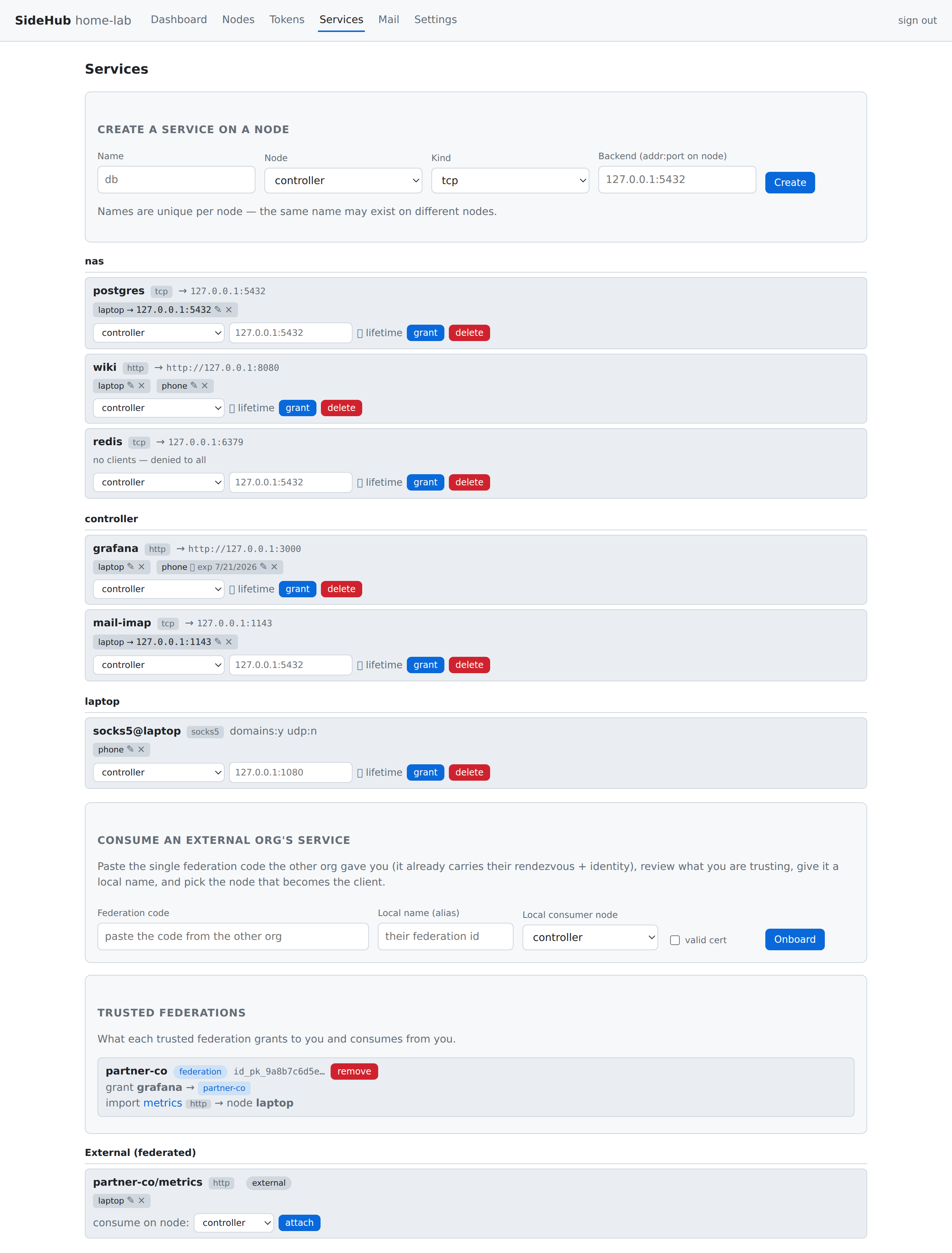
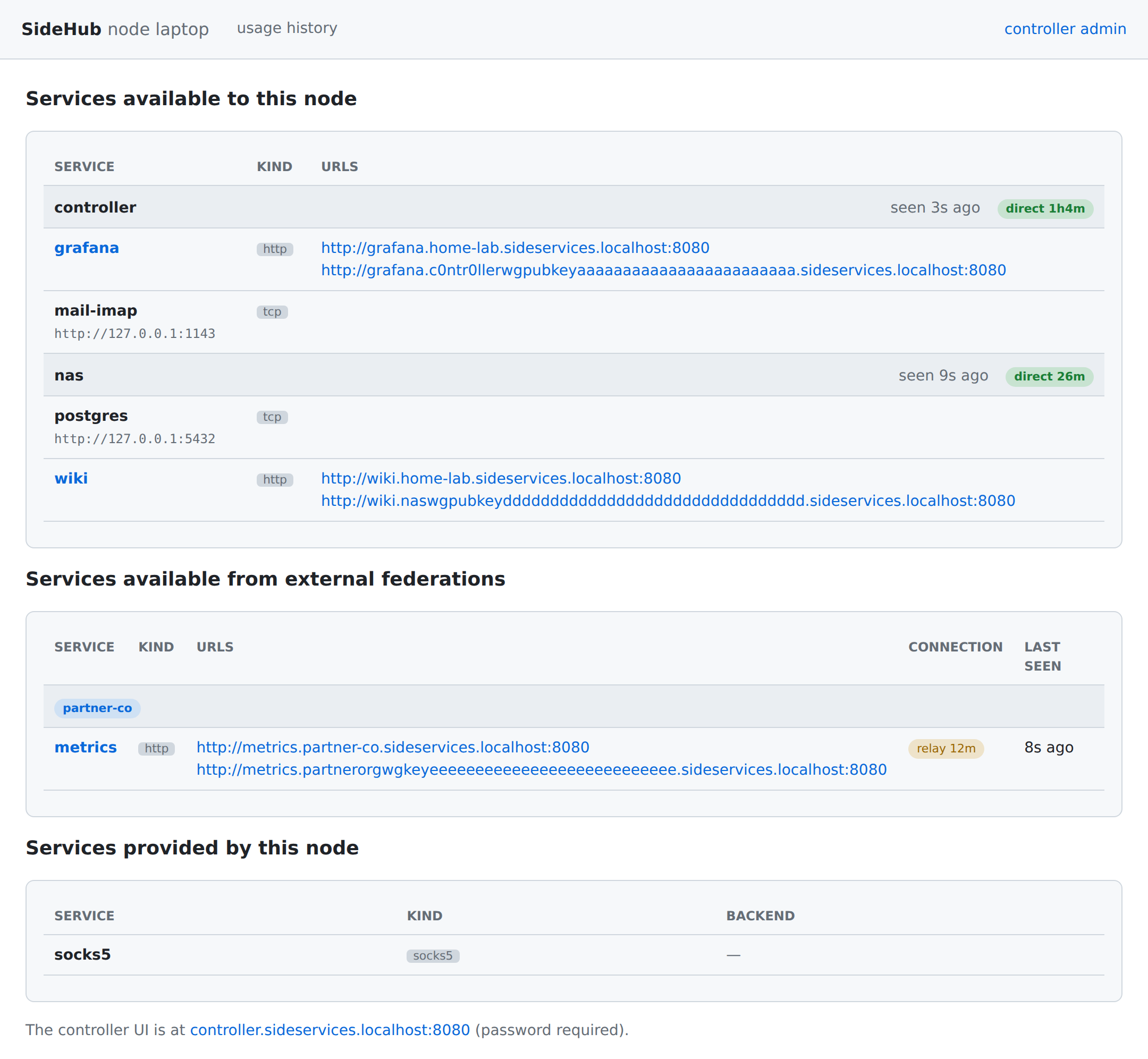
sideservices.localhost — her services, by name, including one from a partner.
SideServices also ships as ready-to-flash appliances — the whole mesh baked into a small, self-updating image. No server to run, no operating system to install or patch.
The easiest way to self-host an entire SideServices federation. Flash a Raspberry Pi, plug it in, and the controller, relay and your services come up as a single tiny image.
Built on the gokrazy appliance framework.
Put a SideServices appliance in front of an industrial machine or IoT device and expose only the specific services you choose — with no web traffic reaching the device by default.
Same WireGuard primitive as a mesh VPN. A different idea of who's in charge — and what's reachable.
A vendor runs the control plane you have to trust. You sign up; your coordination lives in their cloud.
Your own controller is the only thing you trust — no account, no vendor in the loop. The relay is untrusted, so it can be ours, a partner's, or yours.
Every node gets a flat address, gated by network ACLs, plus a separate management or signal server to operate.
Deny-by-default at the service level, and federation across organizations. One binary is every role — nothing extra to run.
Your partner becomes a guest in your system — a one-time code, a guest account, an identity in your tenant.
Two organizations, each with its own network, identity and controller, link once and share single services. Neither becomes the other's tenant.
A global network anyone can join, or a shared relay for one-off shells — you firewall on top.
Each federation is private and controller-signed, on infrastructure you own, with structured, revocable access per service.
Across all of them: end-to-end post-quantum identity and key exchange, and services that answer on localhost — no public DNS, no public CA.
Short version: one binary, a post-quantum WireGuard mesh, deny-by-default service access, and a localhost addressing trick. Everything stays on devices you own.
Request alpha access →The devices (hubs) you’ve enrolled together, plus the people who use them. One hub is the controller — it signs enrollment and holds the federation’s identity. Hubs connect directly over encrypted WireGuard links, with a relay fallback behind NAT. There’s no central data plane and no shared address space — just the services you grant.
A mesh VPN drops every device onto one flat network and gates it with ACLs. SideServices is deny-by-default at the service level: a service is invisible until the controller grants it to a specific machine or person. The WireGuard transport is the same proven primitive — the access model isn’t.
Yes. A person signs in on any of their devices with one password, and the services granted to them appear there — and go when they sign out. SideServices can also sign them in to the app itself, so a granted wiki opens already logged in as them.
Yes — that is what federation links are for. Link with the other organization once (both admins confirm each other’s fingerprint), then share single services. You approve each of their people or machines, and can take access back at any time. The networks never merge, and mail between the two federations works over the same link.
Yes. Identities are hybrid Ed25519 + ML-DSA-65 signatures; enrollment and key exchange are hybrid X25519 + ML-KEM-768, and every tunnel’s key is protected by them. A future quantum computer that records today’s traffic still can’t read it or forge an identity.
Because both already happen, privately, elsewhere in the stack. Traffic between hubs is encrypted by WireGuard; the few control channels use fingerprint-pinned certificates and signed payloads, not the public PKI. Names resolve on your own machine. Nothing about your services leaks to certificate-transparency logs or open resolvers.
No — and that’s the point. The relay (the same binary, in its rendezvous role) only forwards encrypted frames and sealed invitations between devices that can’t connect directly. It can’t read your traffic, your keys, or your service map, so it’s never part of what you trust. Use our open relay (free, on request), a partner’s, or run your own.
Yes. The Android and iOS apps run a node while you use them and open your services inside the app, signed in as you. On Android it can also keep running in the background, for a phone that hosts a service.
Take a backup from the controller: one file, encrypted with a passphrase you choose, holding the federation’s identity and its whole registry. Restore it on a new machine and every node carries on — no re-enrollment.
Yes. Deploy it without a relay and it’s consume-only: it uses services others share with it and exposes nothing. Attach a relay later, with no redeploy, if you ever want it to host services.
No. No sign-up, no vendor control plane, no telemetry. The controller is a device you own running the same binary, and codes travel between devices by whatever means you choose.
It’s in closed alpha right now, and free. Request access at info@sidephone.io. Public builds and source are coming soon. (sidehub is the name of the binary; SideServices is the product.)
SideServices (the sidehub binary) is in closed alpha — free, but builds and source aren't public yet. Want in? Email us and we'll get you set up.
one binary — every OS, every role · all builds coming soon